Vol. 01 · For studio owners
Your studio, in perfect rhythm.
Veya is the operating platform for shared studios — rooms, instructors, bookings, and billing, composed into one calm system that cannot double-book.
A 20-minute walkthrough. No sales chorus, no obligation.

- 0
- Double-bookings, ever
- Instant
- Confirmation on every booking
- 45 min
- Soft holds, self-expiring
Three rooms, eleven independent instructors, one group chat. Somebody books the Reformer room twice. Somebody's client shows up to a class that moved. Somebody hasn't paid for March — and nobody wants to be the one who asks. The studio hums with movement, and behind it, the owner reconciles calendars at midnight.
Veya replaces the group chat, the spreadsheet, and the midnight reconciliation with a single, quiet system of record. An instructor books a room; Veya checks it against every other booking, hold, and closure — and confirms it on the spot. No approval queue, no waiting on a reply. The schedule cannot contradict itself, because the conflict is refused at the deepest layer of the database, not caught by an apology two days later.
Billing follows the schedule on its own: session packs, monthly memberships, per-class billing — drawn up and collected through Stripe while you teach. Every change is written to an audit trail. Every calendar stays true. Every instructor keeps their privacy, and you keep your evenings.
Plate No. 1
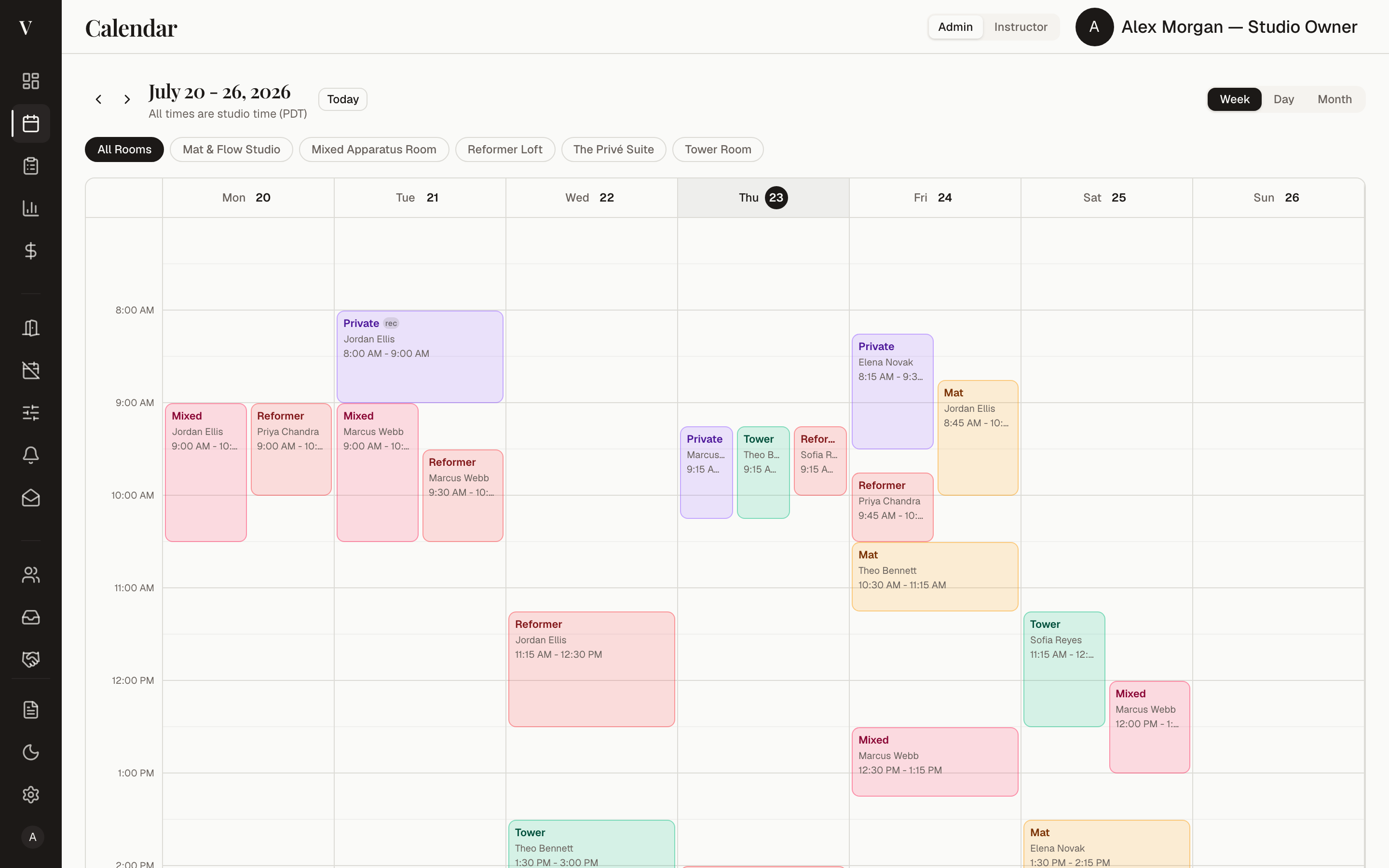
The master calendar, at rest.
The system
Six quiet mechanisms, one calm studio.
-
Conflict-free by construction
Double-bookings are refused at the database layer itself. Not flagged, not warned about — impossible. The calendar is the one place your studio never argues with itself.
-
Confirmed the moment it's booked
An instructor books a room; Veya validates it against every other booking, hold, and closure — and confirms it instantly. No approval queue. Soft holds cover checkout windows and expire on their own after 45 minutes.
-
Billing on autopilot
Session packs, monthly plans, and per-class rates — drawn up, invoiced, and collected through Stripe, with monthly statements every instructor can export. The ledger keeps itself while you keep the class.
-
Calendars that stay true
Veya pushes every confirmed booking to Google, Apple, and Outlook. One direction, one source of truth — the studio's word is final, and everyone's calendar repeats it.
-
Bookings flow in from anywhere
Calendly, Acuity, Mindbody, or any webhook — clients book wherever your instructors already live, and the bookings arrive in Veya normalized, validated, and already on the calendar.
-
Privacy between practices
Instructors see open or blocked — never each other's clients, rates, or rosters. Independent businesses share a roof and a schedule without sharing their books.
Table of contents
Every page of the studio, explained.
The exact sidebar you'll find inside Veya — one entry per page, the owner's desk on the left, the instructor's studio on the right.
The owner's desk
Dashboard
Today's studio at a glance — sessions, follow-ups, quick actions.
Calendar
The master calendar. Every room, every booking, week by week.
Bookings
Every booking listed — create, reschedule, or repeat weekly.
Analytics
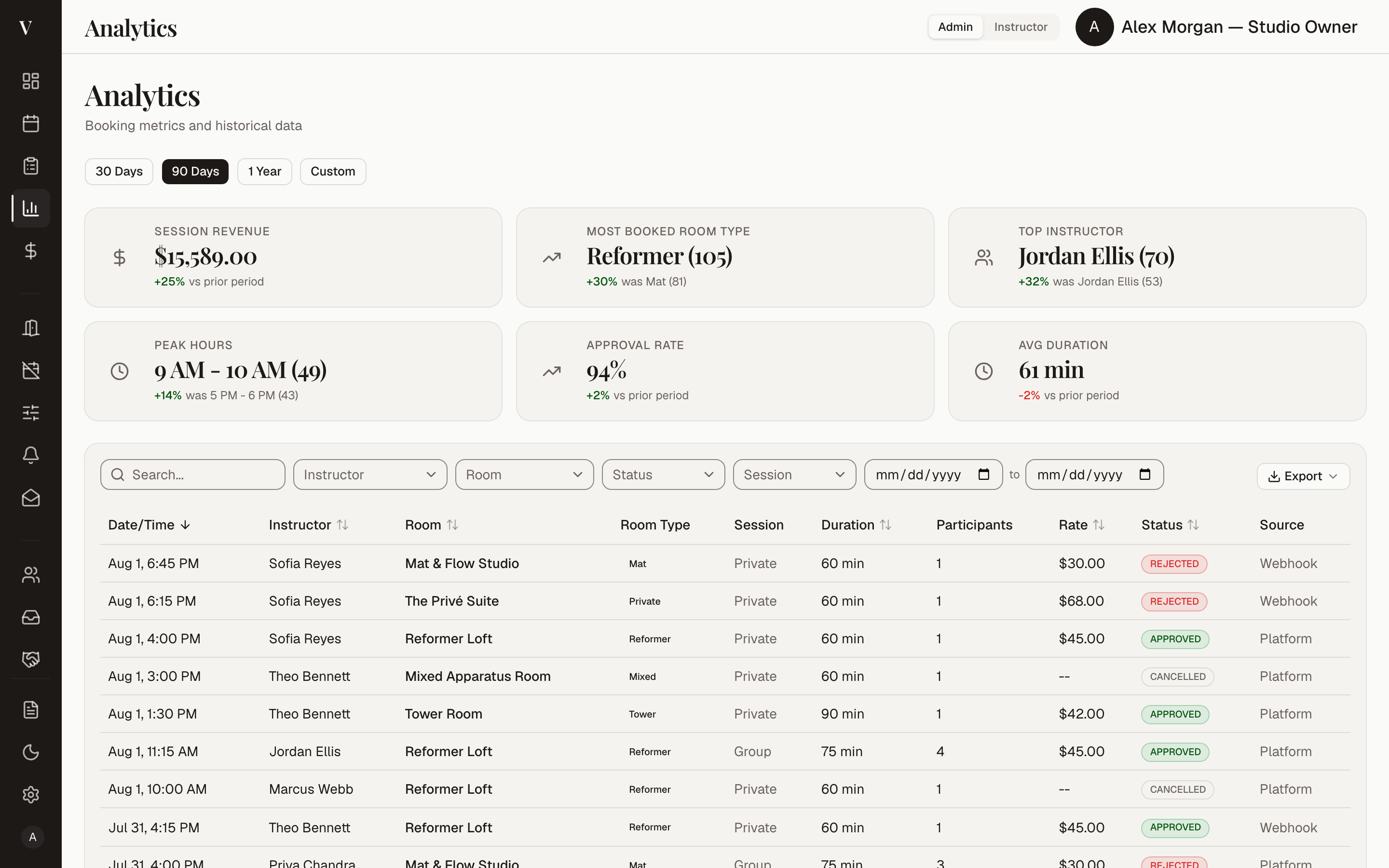
Room utilization and booking trends over time.
Revenue
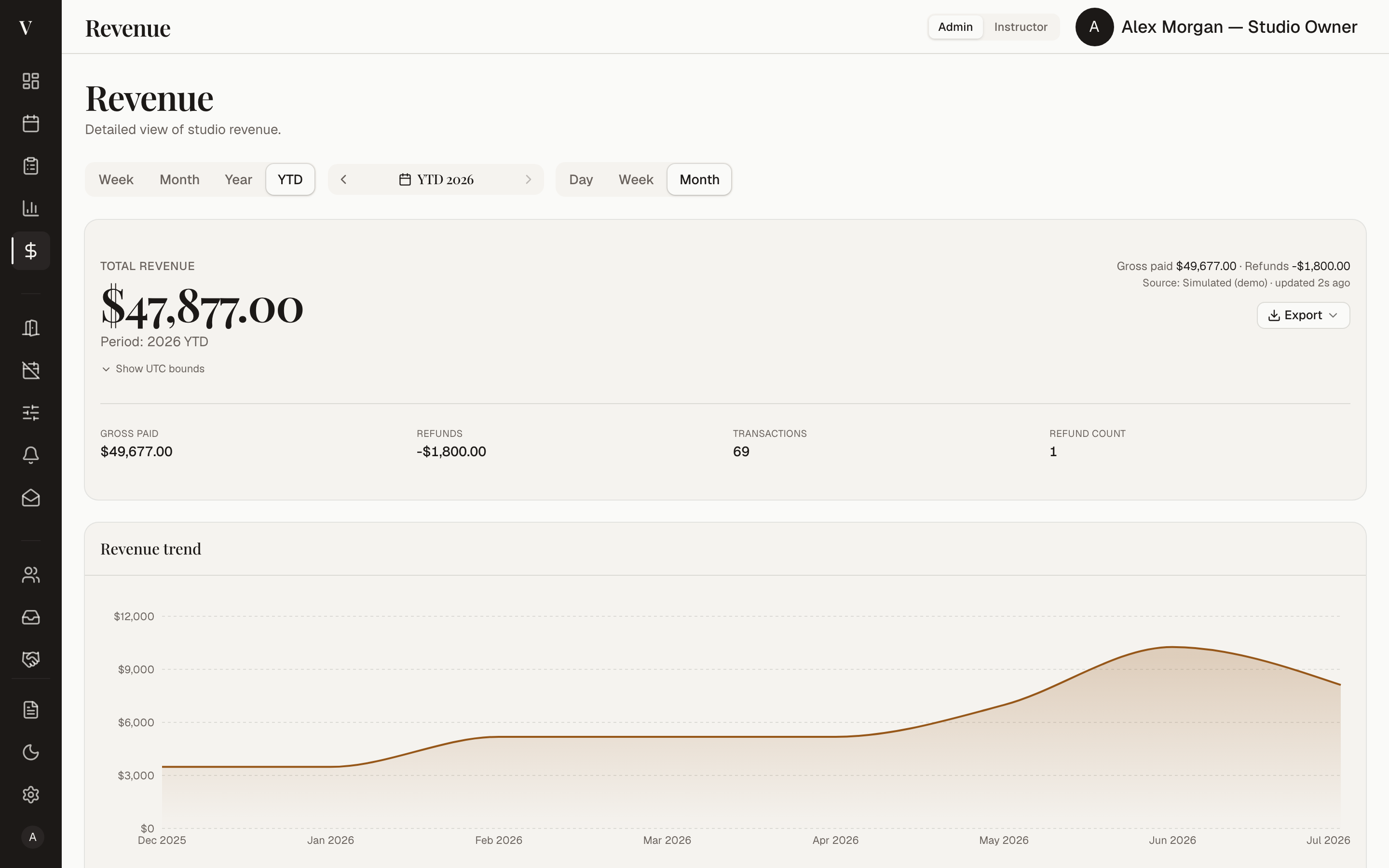
Revenue, attributed to every instructor and package.
Rooms
Each room's capacity, equipment, buffers, and booking rules.
Closures
Holidays and closures that block booking automatically.
Studio config
Operating hours and studio-wide rules.
Notifications
Every email Veya sends, editable before it goes out.
Demo outbox demo only
Where the demo's would-be emails land, instead of being sent.
Instructors
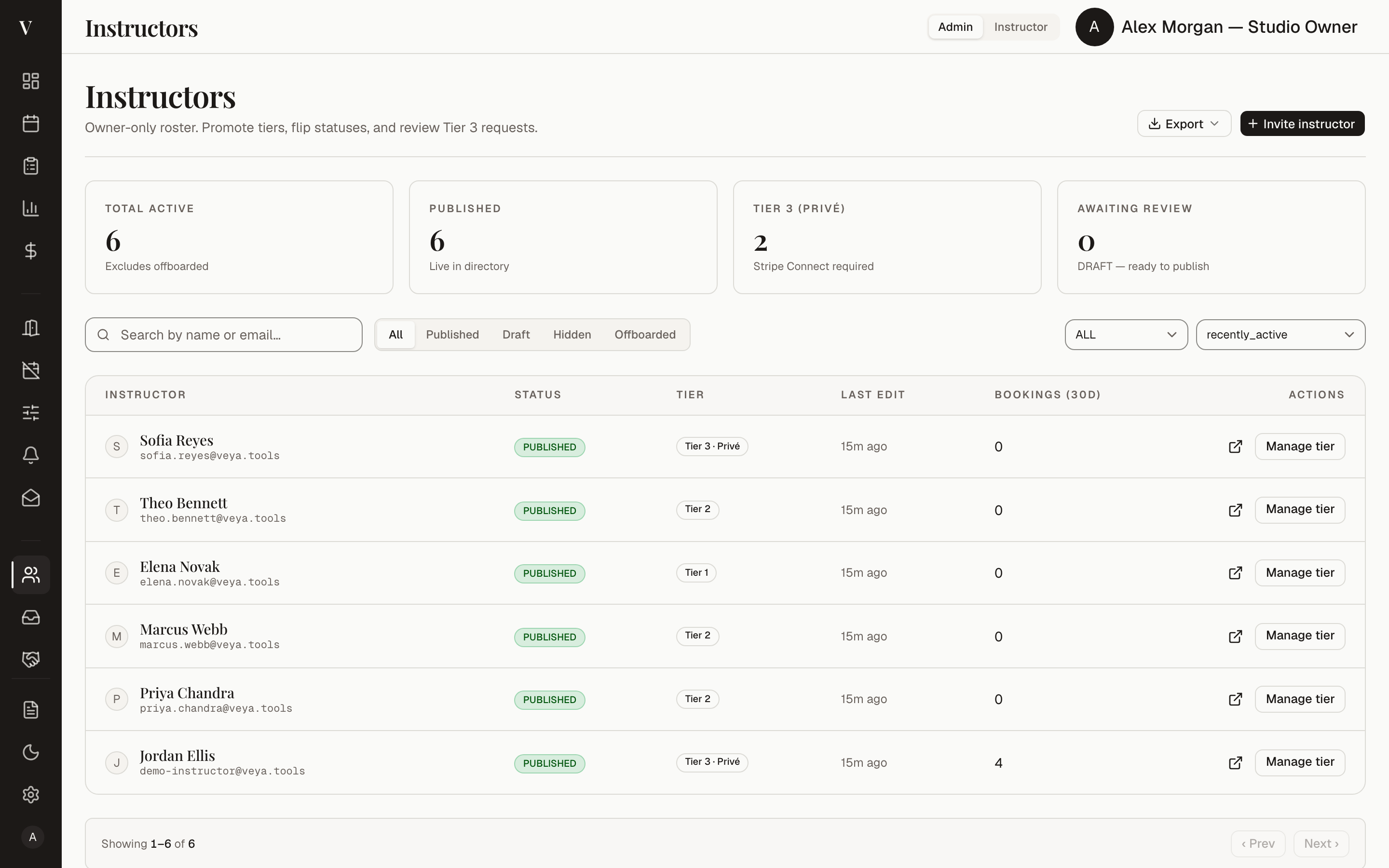
The roster, and each instructor's published public profile.
Applications
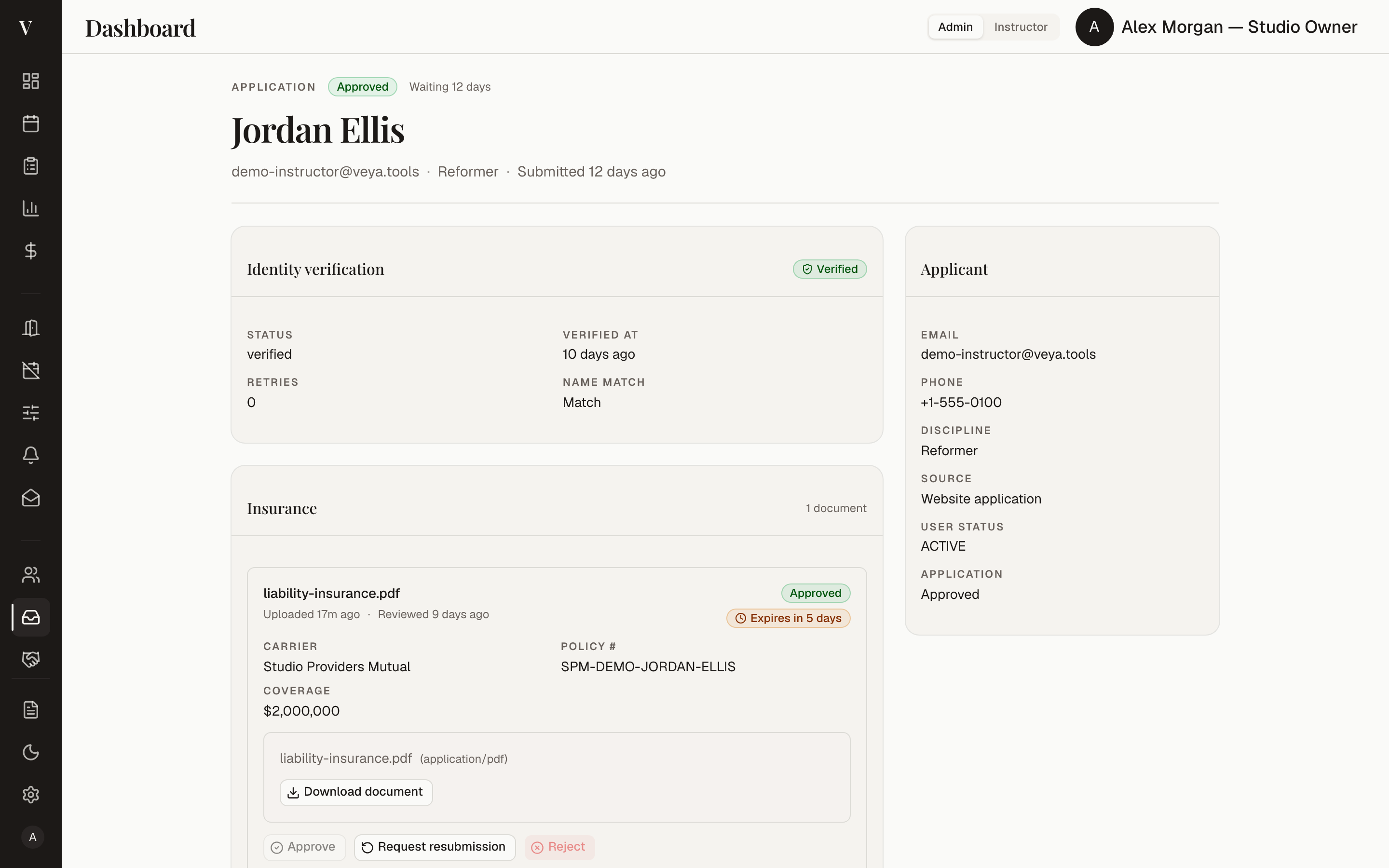
The review queue for instructors joining the studio.
CRM
Pipeline, notes, tasks, and tags for instructors and clients.
Pricing
The session packs and monthly plans instructors purchase.
Class booking rates
Per-room-type rates for class bookings.
Cancellation fees
Late-cancellation fees, queued for the owner's say-so.
Blog moderation
Instructor posts, reviewed before they publish.
Reviews
Verified client reviews, moderated before they appear.
Audit Log
An append-only record of everything that happened.
Settings
Your account, and the studio's.
The instructor's studio
Dashboard
Your day — next sessions and quick bookings.
Calendar
Your schedule; other rooms show only open or blocked.
Bookings
Book, reschedule, or repeat — confirmed instantly.
Rooms
Browse the rooms and book on the spot.
Clients
Your private client roster and notes. Yours alone.
Public profile
Your public page — photo, bio, and booking link.
Blog
Posts, published to your public page.
Gallery
The photographs your page shows.
Packages
Session packs and monthly plans, bought in a few taps.
My Charges
Monthly statements, exportable for tax season.
Settings
Your account, calendar sync, and alerts.
The contributors
Give every instructor a profile worth sharing.
Each instructor gets a public page with their photograph, disciplines, and booking link — a quiet piece of marketing your studio publishes for them.
-

Lena R.
Mat & Sculpt
-

Mara V.
Reformer & Tower
-

Dario M.
Rehab & Alignment
-

Jonas K.
Strength & Mobility
-
Ingrid S.
Movement Director
-
Your roster, beautifully kept.
Your studio
Every discipline welcome

A studio that runs on rhythm, not reminders.
The Veya principle
The appointment
See your studio in Veya.
- A 20-minute walkthrough, on your calendar
- Your rooms and instructors, modeled live
- Straight answers on pricing — no chorus
You're on the list.
We have your details — we'll email you within one business day to book your walkthrough.